5 Product Photo Mistakes That Kill Your Sales

Your product is great. Your price is competitive. But you're not getting sales.
The problem? Your photos.
92% of online shoppers say product images are the #1 factor in their buying decision. Not the description. Not the reviews. The photos.
Here are the 5 mistakes killing your conversions — and how to fix each one in under a minute.
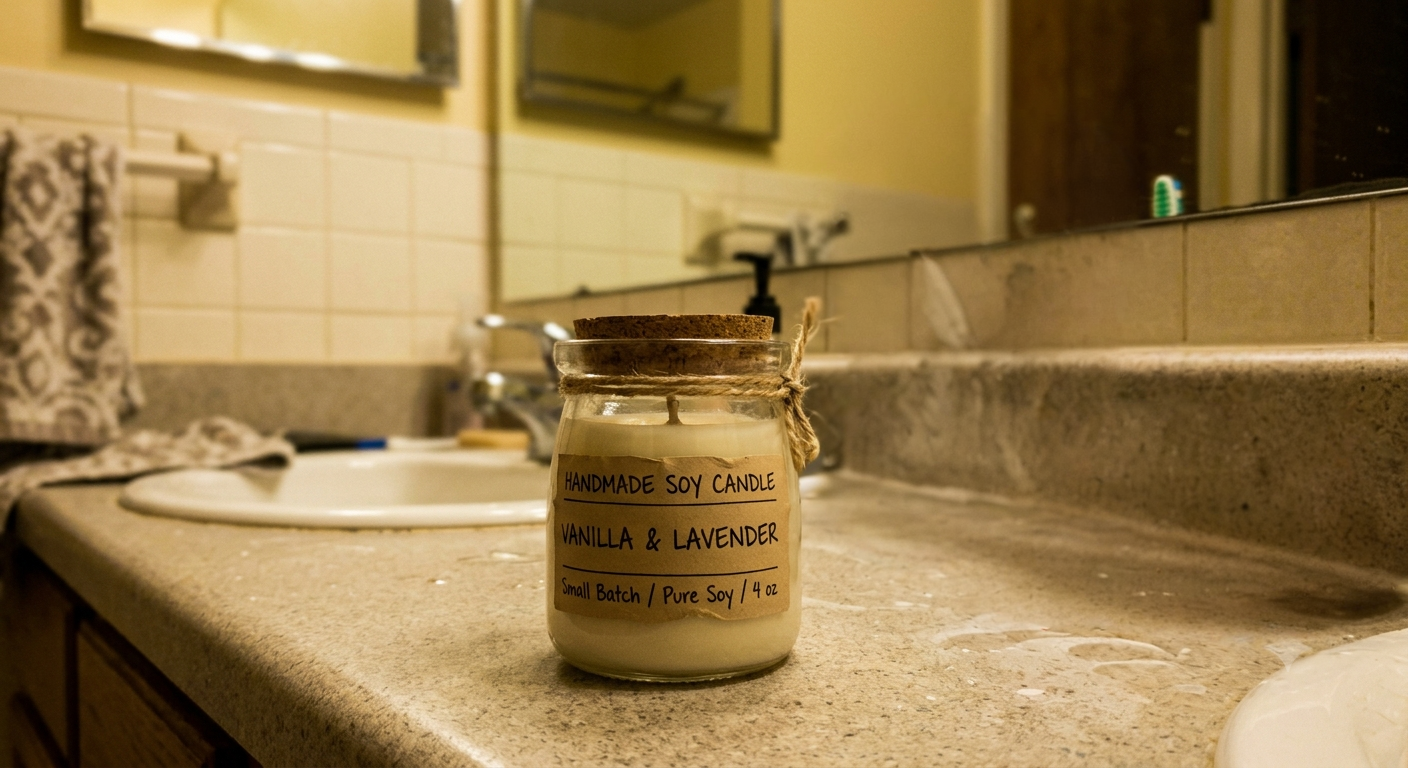
Mistake #1: Cluttered Backgrounds
The problem: You photographed your product on a kitchen counter, desk, or bedsheet. The buyer's eye goes everywhere except your product. Why it hurts: Marketplace studies show clean backgrounds increase click-through rates by 25-40%. Amazon requires white backgrounds. Shopify stores look amateur with inconsistent photo backgrounds. The fix: Remove the background entirely. AI does this in 5 seconds — no Photoshop needed. Upload your photo, click one button, get a clean transparent or white background.Mistake #2: Low Resolution / Blurry Images
The problem: Your photo is 500x500 or shot from too far away. When buyers try to zoom in, they see pixels instead of product detail. Why it hurts: Amazon and Shopify both recommend 2000x2000 minimum. Low-res images can't use the zoom feature — and 60% of buyers use zoom before purchasing. The fix: AI upscaling increases your image resolution 2-4x without introducing blur or artifacts. A 600x600 photo becomes a crisp 2400x2400 in seconds.Mistake #3: Only One Photo Per Listing
The problem: You uploaded one photo and called it done. Buyers have no idea what the back looks like, how big it is, or what it looks like in context. Why it hurts: Listings with 5+ images convert 2x better than listings with 1-2 images. Each missing image is leaving money on the table. The fix: Take multiple angles with your phone. Use AI to remove backgrounds on all of them (batch processing handles this in one go). Add lifestyle shots and size references as secondary images.Mistake #4: Inconsistent Style Across Listings
The problem: Some products have white backgrounds, some have grey, some have shadows, some are cropped differently. Your store looks like a flea market. Why it hurts: Brand consistency builds trust. When every listing looks different, buyers subconsciously feel less confident about quality and legitimacy. The fix: Process all your product photos through the same pipeline: remove background → place on consistent white → apply same lighting style. Batch processing makes this painless even with 100+ products.Mistake #5: Products Blending Into Backgrounds
The problem: White product on white background. Or dark product on dark background. The product disappears. Why it hurts: If buyers can't clearly see the edges and shape of your product, they scroll past. The fix: Replace the background with something that creates contrast. A white product? Try a soft grey or lifestyle background. A dark product? Pure white makes it pop. AI background replacement lets you try different options in seconds without reshooting.The 60-Second Fix
Every mistake above has the same solution: better image processing.
No Photoshop. No photographer. No hours of editing.
Your product deserves photos that match its quality. Stop losing sales to fixable image problems.
Fix your product photos now → 5 free images, no signup needed.Every example in this article was processed in under 30 seconds using AI. The same tool is available to you right now.
Keep reading
How to Edit Product Photos for Your Shopify Store (2026)
A step-by-step guide to editing product photos for Shopify — clean backgrounds, correct image sizes, color variants, and lifestyle scenes — without Photoshop or a separate editing app.
Voxiru is Now on the Shopify App Store
Voxiru — the one-step AI product photo editor — is now available as a Shopify app. Edit product photos, remove backgrounds, recolor, and upscale without leaving your Shopify admin.
Voxiru vs Photoroom vs Remove.bg for Product Photos (2026)
An honest, side-by-side comparison of Voxiru, Photoroom, and Remove.bg for e-commerce product photography. Features, approach, and which tool fits which seller.